
Umami Cloud vs Self-Hosted: How to Connect Each on Your iPhone
Published Sep 24, 2026 · 1 min read · Yichen Lab
Umami comes in two flavours: Umami Cloud, hosted by the Umami team, and self-hosted Umami that you run on your own server. Both expose the same kind of API, which is what a phone app like SiteGlance reads — but they sign in differently. (New to the app? Start with checking Umami on your iPhone.)
Umami Cloud: an API key
Cloud requests go to a fixed address, so there is no URL to type. You only need an API key.
- In Umami Cloud, click your profile in the side navigation and open Settings → API keys.
- Click Create key and copy it.
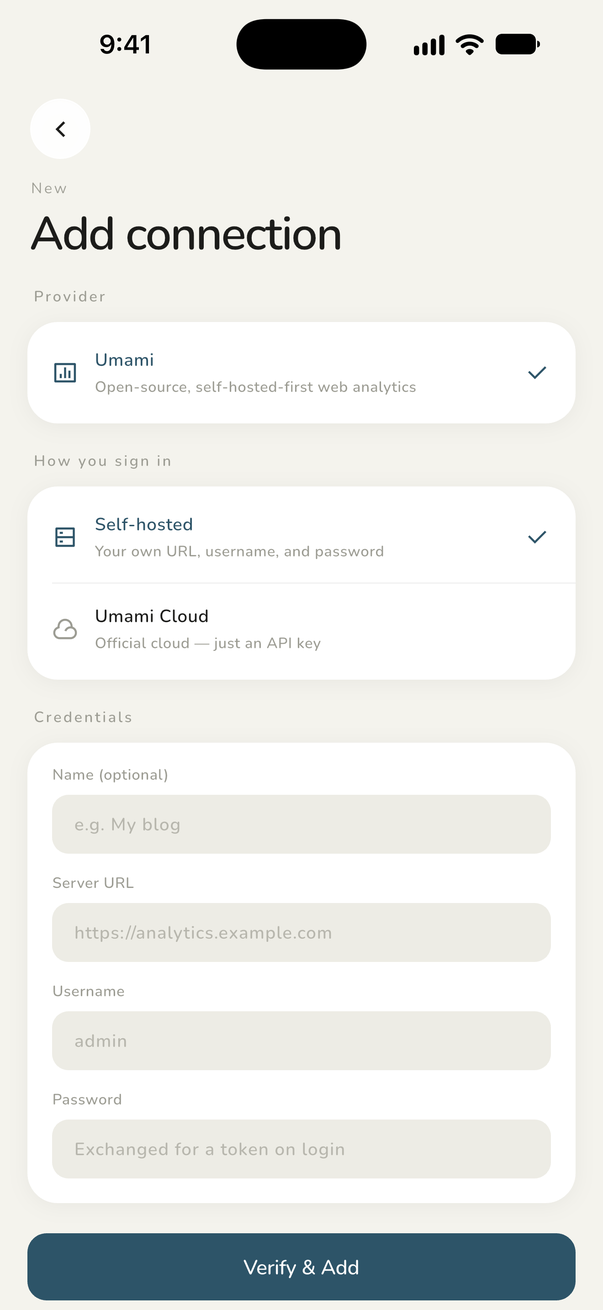
- In SiteGlance, add a connection, choose Umami Cloud, and paste the key.
GET https://api.umami.is/v1/websites
Authorization: Bearer <your-api-key>
Self-hosted: address, username, password
For your own instance, SiteGlance signs in with the same username and password you use on the dashboard and receives a session token, exactly like the web login does.
- HTTPS only. Plain
http://addresses are not accepted. If your instance has none, put it behind a reverse proxy with a certificate first. - Use the address where Umami lives. If Umami is served under a path such as
https://example.com/umami, include the path. - The account needs read access to the websites you want to see.
Common connection errors
SiteGlance tests every connection before saving it and tells you which step failed:
- Wrong username or password — the server refused the login.
- Logged in, but no read permission — the account works but can't read websites.
- Host is up, but no Umami API here — usually a missing path or a reverse proxy that doesn't forward
/api. - HTTPS certificate isn't valid — expired or self-signed certificate.
- Can't reach this address or timed out — check the domain and your network.
- API key is invalid or revoked — create a new key in Umami Cloud.
Once connected, either flavour works the same way in the app, including home screen widgets.
FAQ
- Can I connect both Umami Cloud and a self-hosted instance?
- Yes, with SiteGlance Pro, which lets you save multiple connections. The free version keeps one.
- Why is my http:// instance rejected?
- SiteGlance only connects over HTTPS so your credentials are never sent in plain text. Add a certificate, for example through a reverse proxy.
- Where is my password stored?
- In the iOS Keychain on your iPhone. SiteGlance has no server and never sends it anywhere except your own Umami.
Keep reading
- How to Check Umami Analytics on Your iPhoneThree ways to read your Umami stats on an iPhone — mobile Safari, a home screen bookmark, or a native app — and a step-by-step setup for SiteGlance.
- Add Umami Stats to Your iPhone Home Screen with WidgetsPut today's Umami visitors on your iPhone home screen. What the SiteGlance widgets show, how to add one, how to pick a site, and how often they refresh.